canmetry
Canmetry Community — Vehicle Log Viewer

Open-source, browser-based CAN log analyzer.
Load BLF / ASC / CSV / MF4 and DBC, decode in the browser, then explore on Graph, Trace, or DBC.
Open Canmetry online → · Community demo · User guide · Architecture
Community edition — open source, runs in your browser, and does not upload your log or DBC files.
The hosted edition at canmetry.com builds on the same browser-based analyzer with optional account, project, and team features. The community edition remains available here to run locally or deploy yourself.
Hosted tools
Open the matching Canmetry tool for the job:
| Task | Canmetry tool |
|---|---|
| Open and inspect a BLF log | BLF viewer |
| Decode BLF to MAT or CSV | BLF to MAT converter |
| Export raw BLF frames to CSV | BLF to CSV |
| Convert BLF to ASC | BLF to ASC |
| Decode ASC to MAT or CSV | ASC to MAT converter |
| Decode MF4 to MAT or CSV | MF4 to MAT converter |
| Browse messages and signals in a DBC | DBC viewer |
| Find errors in a DBC | DBC checker |
| Compare two DBC files | DBC compare |
| Export a DBC to Excel or CSV | DBC to Excel |
| Decode or encode a CAN signal | CAN signal calculator |
Screenshots
Graph
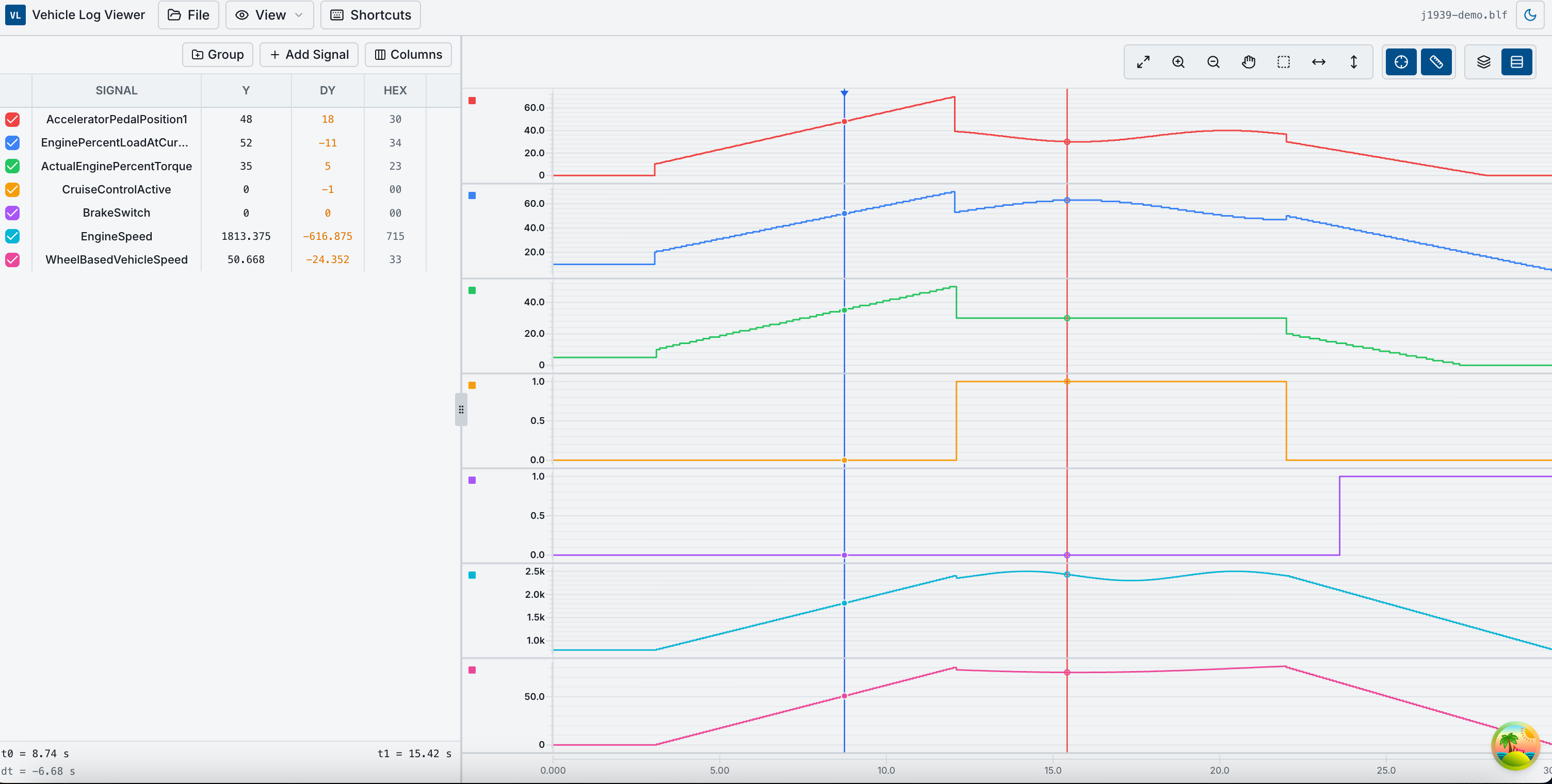
Signal charts, cursors, and groups for inspecting decoded signals over time.
Trace
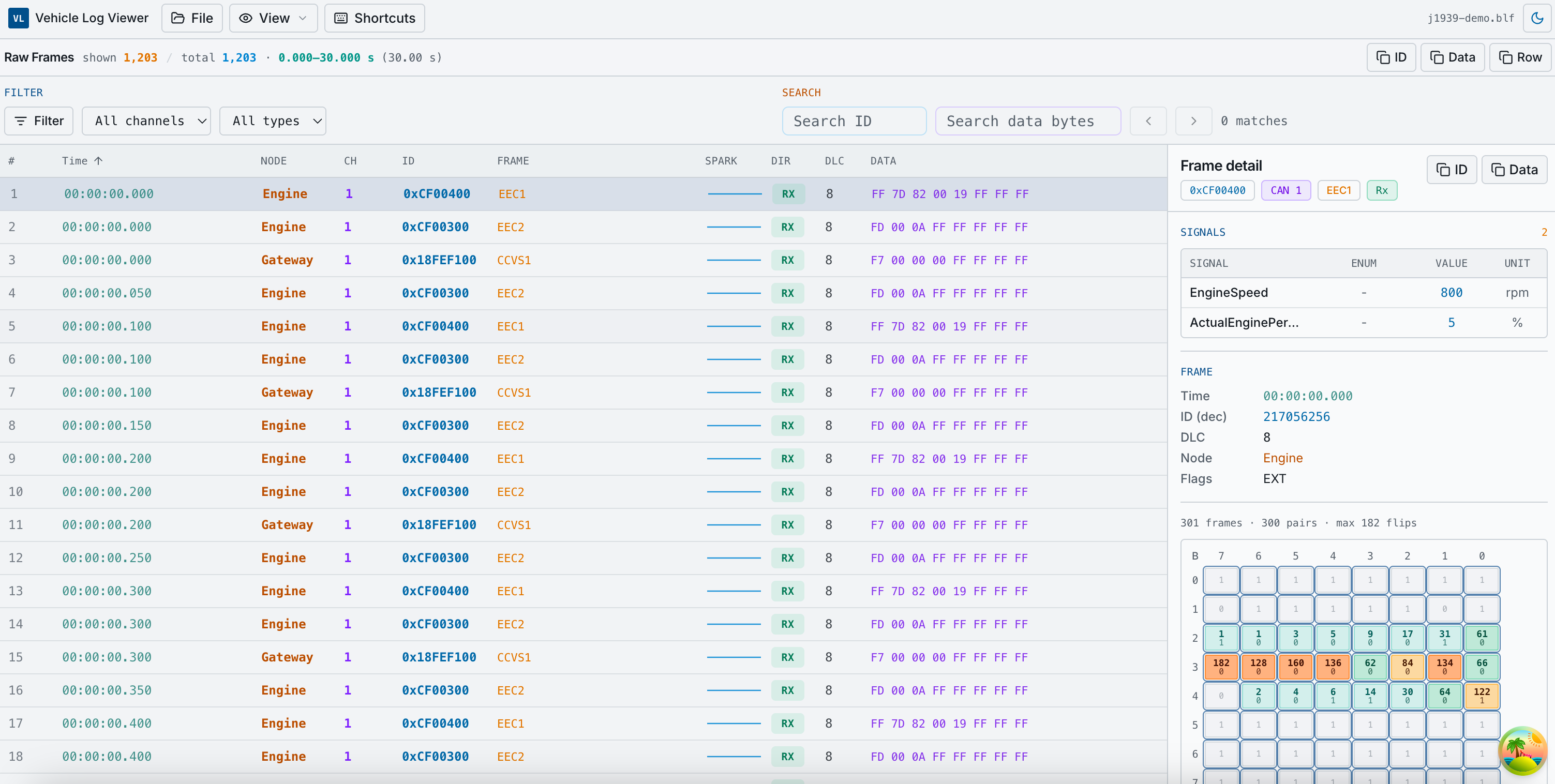
Searchable frame table with decoded details and bit activity heatmap.
DBC
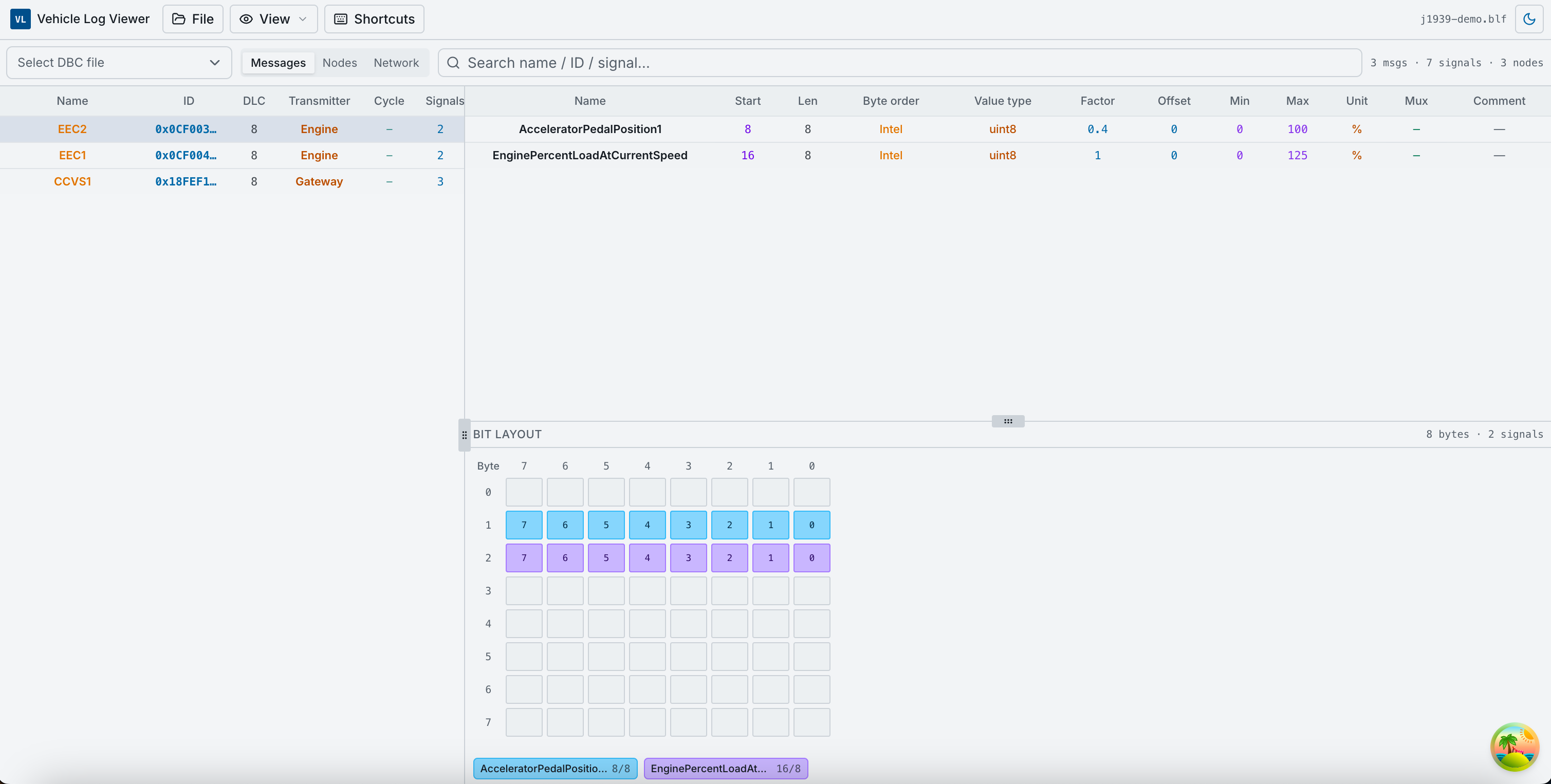
Browse messages, signals, nodes, and bit layout without loading a log.
Features
- Graph — time-series charts, signal search, zoom/pan, main & diff cursors, project save/load
- Trace — searchable CAN frame table, filters, decoded detail panel, bit activity heatmap
- DBC — browse messages, signals, nodes, enums, and bit layout without a log file
- Formats — BLF, ASC, CSV, MF4 (client-side parsing)
- Export — CSV export for loaded or all parsed signals
- Project files — save and restore workspace layout (
.blfproject.json) - i18n — English and Chinese UI
Architecture
Canmetry Community is a static client-side application:
- UI layer — React 19 + TanStack Router + TanStack Query
- Parsing layer — browser-side BLF / ASC / CSV / MF4 readers in
src/lib/can/ - Decode layer — DBC loading, channel mapping, signal decode, trace row annotation
- Workspace layer — one in-memory
ClientAnalysisSessionshared by Graph / Trace / DBC - Persistence layer —
.blfproject.jsonexport/import for layout and mapping state
The three main views all read from the same local analysis session:
- Graph focuses on decoded signal time-series analysis
- Trace focuses on raw frame inspection plus per-row signal decode
- DBC focuses on browsing the database itself
Implementation details: docs/architecture.md
Quick start
pnpm install
cp .env.example .env.development
pnpm dev
Open http://localhost:3000.
Typical workflow
- File → Load CAN log…
- File → Load DBC…
- File → Channel mapping… — assign DBC(s) to channels, then click Start parsing on the mapping card
- View → Graph / Trace / DBC
Details: docs/guide.md
Local deployment / preview
pnpm build
pnpm preview
GitHub Pages build
VITE_BASE_PATH=/your-repo-name/ pnpm build:pages
The app is distributed as a static SPA. No database or backend service is required for the community edition.
Deploy (GitHub Pages)
Static SPA — no server or database. CI workflow: .github/workflows/pages.yml.
- Push to
main(orclean-main) - Repo Settings → Pages → Source: GitHub Actions
- Optional repo Variables:
VITE_BASE_PATH,VITE_APP_URL,VITE_COMMERCIAL_URL
Local static build:
VITE_BASE_PATH=/your-repo-name/ pnpm build:pages
# Output: .output/public (includes 404.html SPA fallback)
Optional env:
| Variable | Purpose |
|---|---|
VITE_BASE_PATH |
Asset/router base (/ or /repo-name/) |
VITE_APP_URL |
Public site URL |
VITE_APP_NAME |
App title |
VITE_COMMERCIAL_URL |
Link to hosted Pro edition (optional) |
Documentation
| Doc | Description |
|---|---|
| docs/guide.md | Detailed Graph, Trace, DBC user guide |
| docs/architecture.md | Implementation architecture and data flow |
| docs/screenshots/ | Screenshot assets for README |
| THIRD_PARTY_NOTICES.md | Dependency licenses |
License
MIT — see LICENSE.